
You're pressing a button. A tiny bird on your screen flaps its wings and rises just enough to squeeze through a gap between two green pipes. Your heart rate spikes. You fail. You tap again immediately.
That whole experience lasted about two seconds. But in those two seconds, your phone ran the same chunk of code thousands of times - checking what you did, adjusting a handful of numbers, and painting a new picture on screen so fast your brain perceived it as fluid motion.
Software is logic operating on data. Games are exactly that - just with one extra rule: the logic has to run fast enough that a human in front of it feels immersion.
This post pulls back the curtain. Not just the "it's a loop" summary you've probably heard, but what's actually inside that loop - how the game world lives in memory, how physics gets faked, and what's really happening when two objects collide.
The Game Loop
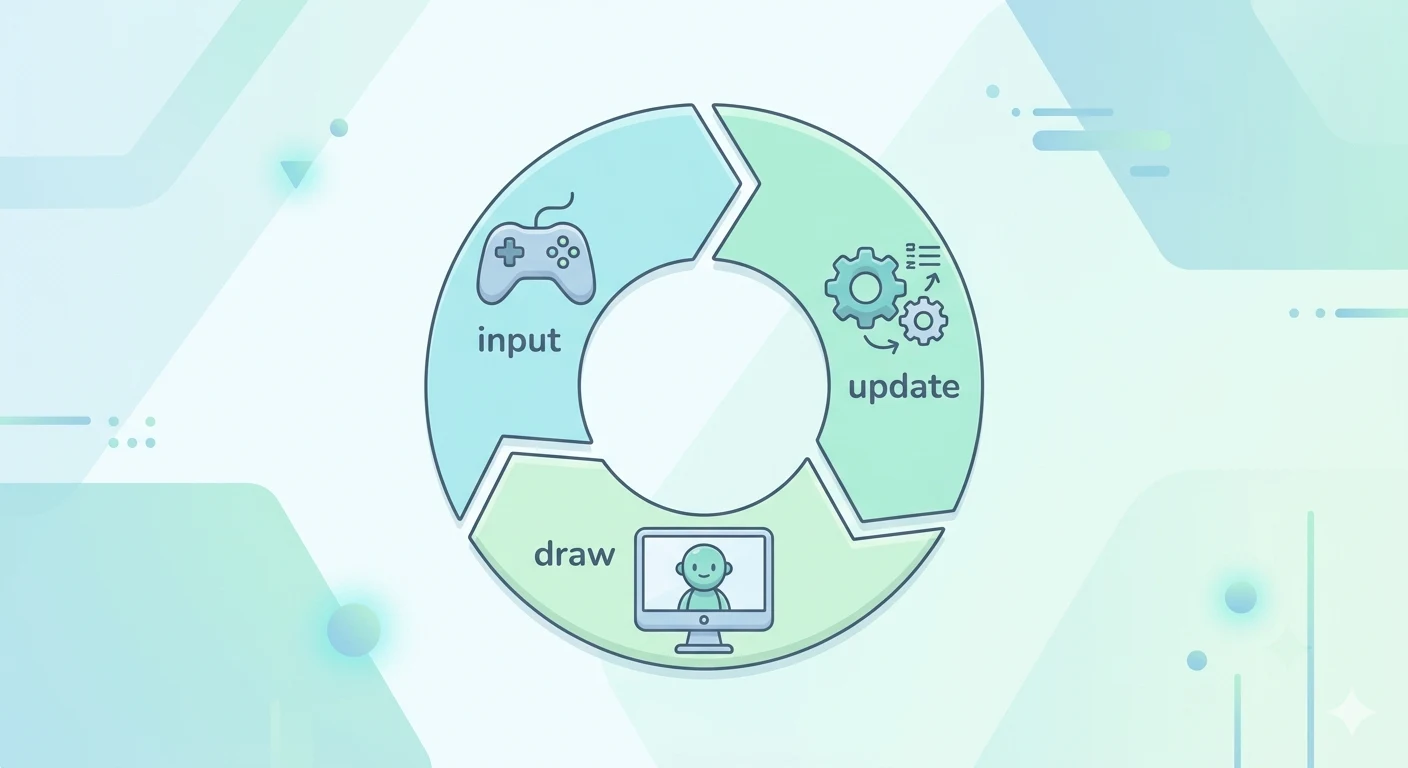
Every game ever made is built around a loop. Three phases, repeating as fast as the hardware allows.
1. Input
The game reads the full state of every input device right now - keyboard, mouse, gamepad, touchscreen. Not just "was a key pressed," but how far the stick is tilted, how hard the trigger is held.
2. Update
The brain of the game. It takes the input, applies it to the game's internal state, runs all the rules, advances physics, checks win/lose conditions, and ticks the AI. Nothing gets drawn yet. The world just gets recalculated.
3. Draw
The updated state gets translated into pixels. Every position, animation frame, and UI element gets painted in the correct order, then handed off to the display.
Each complete run is one frame. At 60fps, the entire loop has to finish in about 16 milliseconds. That's a real, hard budget. Too many enemies doing too many calculations and the frame runs long - that sluggish feeling you've noticed in games? That's the loop missing its deadline.
The loop never actually pauses. Even on a pause screen, the loop is still running, still drawing the same frozen frame, still listening for input. The illusion of stillness is just the update phase choosing not to change anything.
The Game World Is Just a Table of Numbers
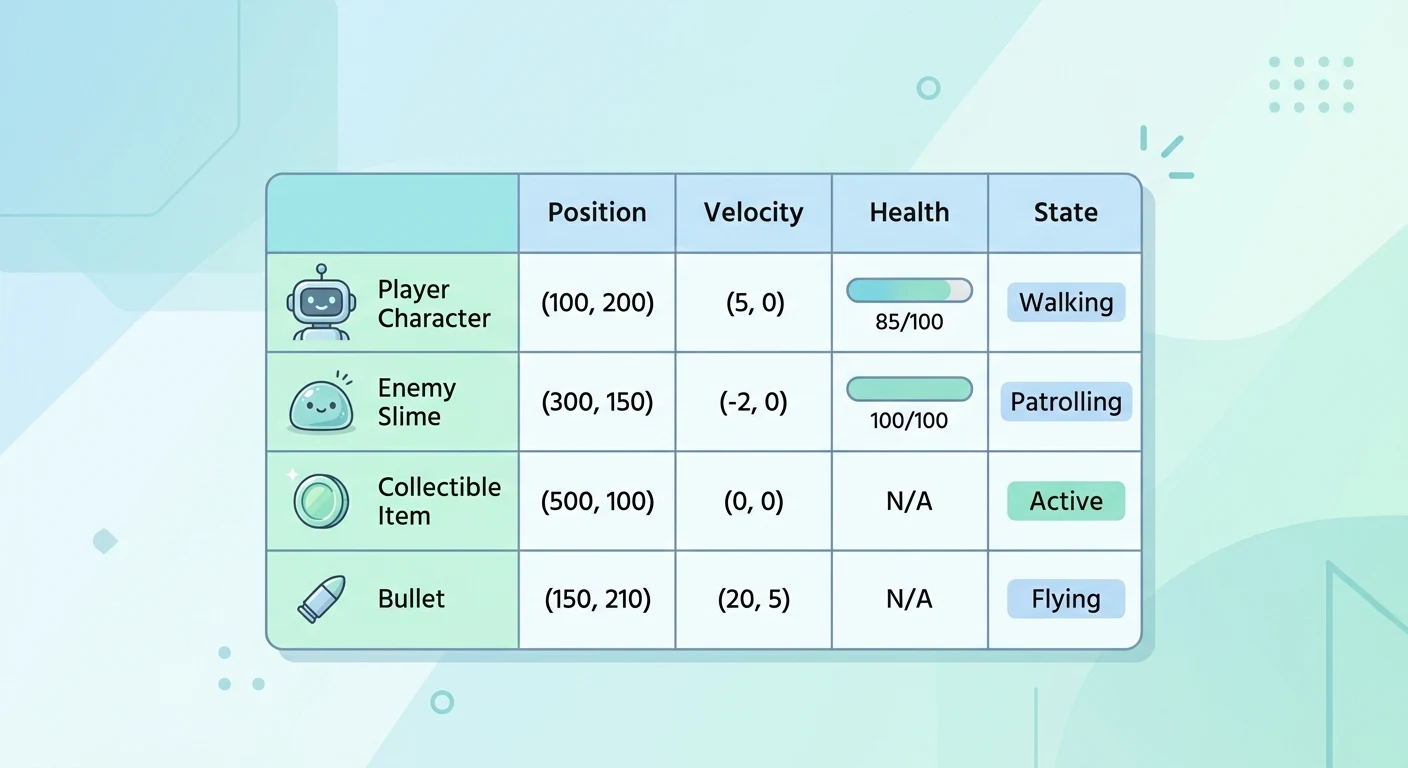
The word "world" sounds grand. In memory, it's just a list of objects - each holding a small set of values describing its current state.
Every frame, the update phase loops over all of these and changes their values according to the rules. Velocity gets added to position. Health drops if a hit landed. The AI reconsiders what it wants to do.
Update is truth. Draw is presentation. The game doesn't care how anything looks during the update phase - it only cares what the numbers are. Draw just translates those numbers into pixels once the math is done.
What makes it feel alive is that everything updates in the same frame. The player moves, the enemies move, particles from an explosion three seconds ago are still evolving - all in one pass through the list, 60 times a second.
How Physics Gets Faked
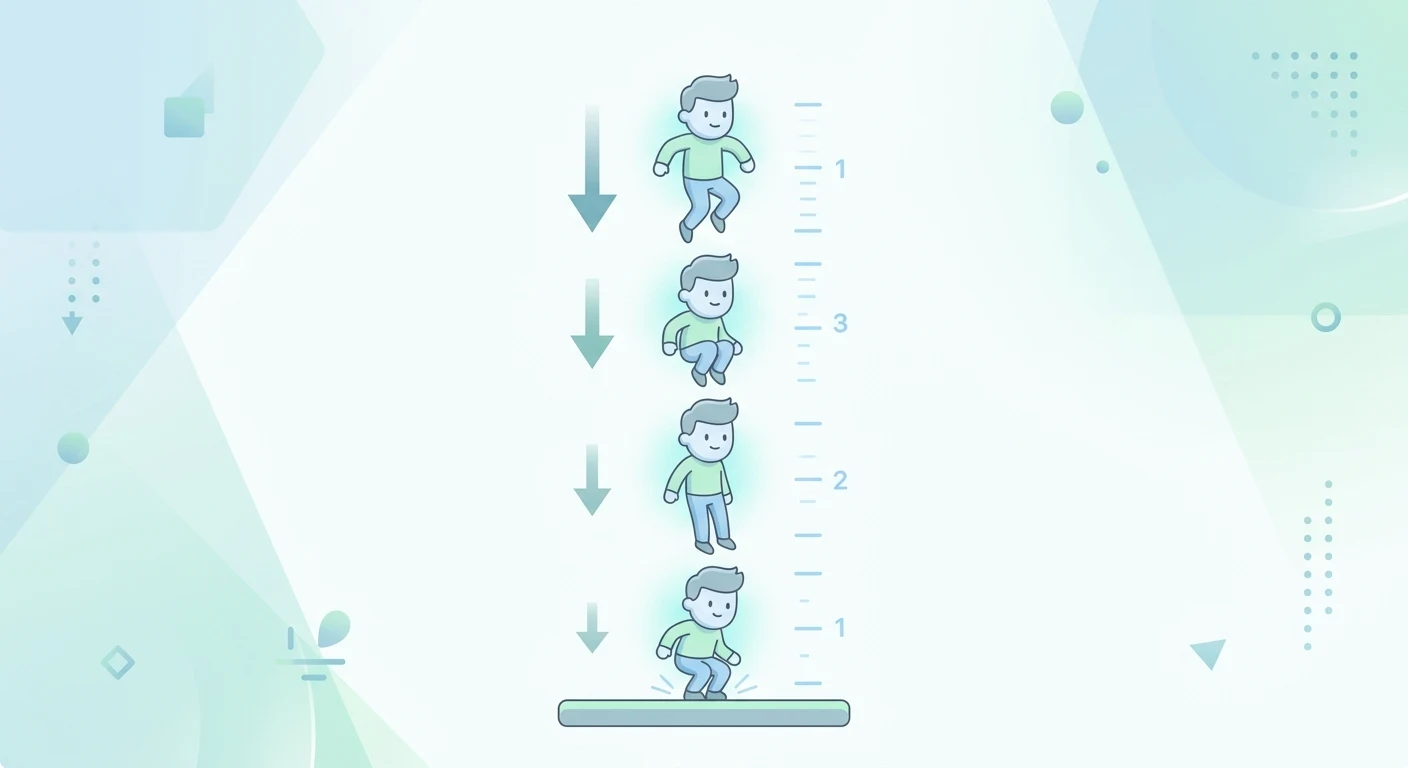
Real physics is continuous. Games run in discrete steps, so game physics is a numerical approximation - recalculated every 16 milliseconds.
Take gravity in a platformer. The player has a vertical velocity value, vy. Every frame, a small constant gets added to vy. Then vy gets added to the player's vertical position. Each frame the character falls a little faster than the frame before - exactly like real gravity, because you're stepping through it one tiny increment at a time.
When the player jumps, vy gets set to a large upward value. Gravity immediately starts fighting it back down, decrementing vy each frame until it flips sign and the character falls. The arc you see is just this tug-of-war, resolved 60 times a second.
Here's a real example of how that looks in code.
        GRAVITY = 0.4
JUMP_FORCE = -8

class Bird:
    def __init__(self) -> None:
        self.y = 250
        self.velocity = 0

    def flap(self) -> None:
        # give the bird an instant upward impulse
        self.velocity = JUMP_FORCE

    def update(self) -> None:
        # apply gravity
        self.velocity += GRAVITY
        # move bird based on current velocity
        self.y += self.velocity
Friction works the same way. Every frame, multiply velocity by a number slightly less than 1. "Ice physics" is literally just setting that multiplier closer to 1 so velocity bleeds away more slowly. The slipperiness of Sonic on ice is one constant being different.
This is why game feel is so tunable. The weight of a jump, the snap of a dash, the float of a double jump - it all comes down to a handful of constants. Change gravity from 0.4 to 0.6 and the whole game feels heavier. That's what designers mean by "game feel": not rewriting art or logic, just tweaking numbers until movement lands right.
Collision Detection: Is Anything Touching Anything?
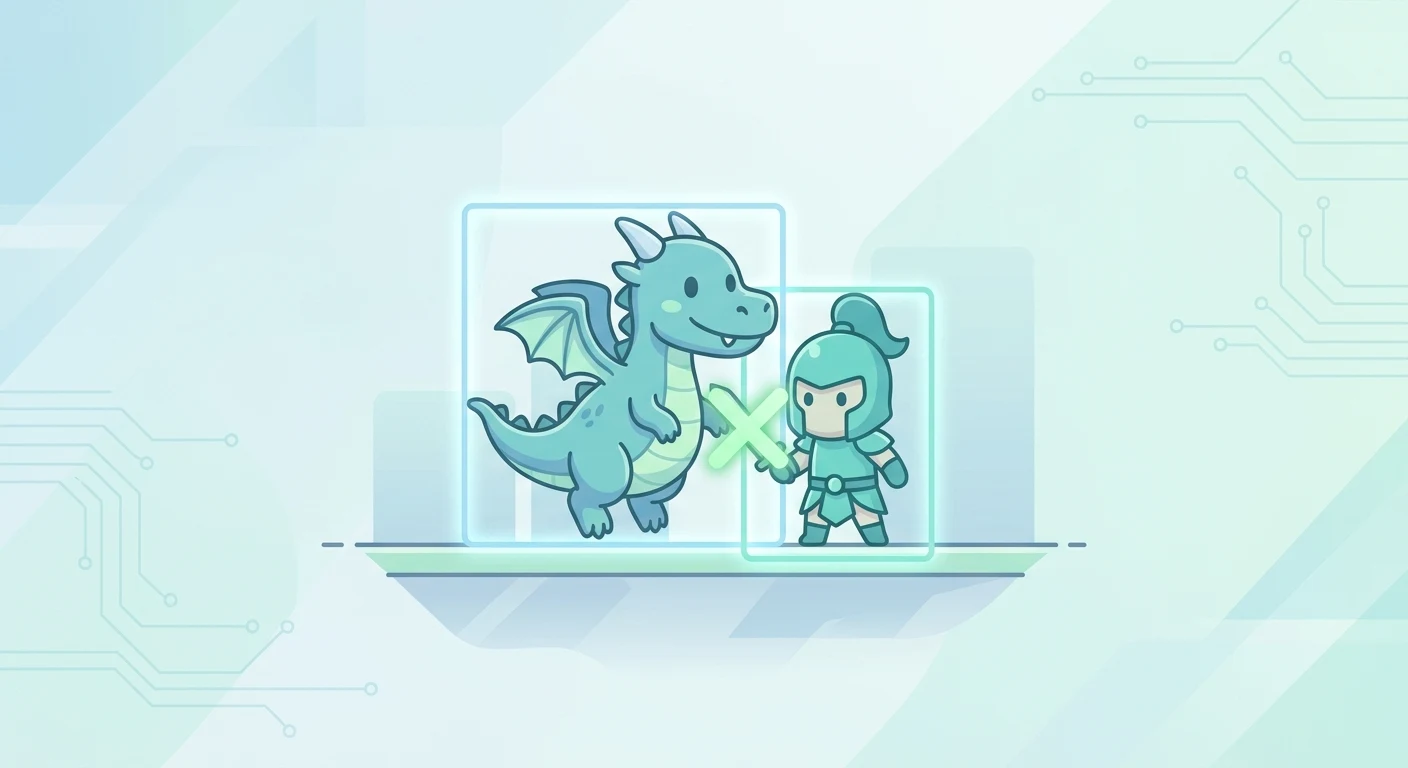
Once objects are moving, the game needs to know when they intersect. This happens inside the update phase, every frame, for every relevant pair of objects.
The simplest and most common shape is a rectangle called an AABB (Axis-Aligned Bounding Box). Every object gets an invisible rectangle wrapped around it. Checking if two overlap is just four comparisons - left edge, right edge, top, bottom. Very fast.
Here's what that check looks like in code.
        def overlaps(a, b):
    # returns True if the two rectangles overlap
    return (
        a.left < b.right and a.right > b.left and
        a.top < b.bottom and a.bottom > b.top
    )
This is where "hitboxes" come from. The hitbox is literally this rectangle - and it doesn't have to match the art. In fighting games, a fist's hitbox might be slightly larger than it looks to make hits feel satisfying. The art is cosmetic. The rectangle is what the game actually uses.
For circular objects, you check the distance between two centers against the sum of their radii. Still fast, better fit for round things.
The real challenge isn't any single check - it's volume. 200 objects checked naively against each other is nearly 20,000 checks per frame. The fix: divide the world into a grid and only check objects that share the same cell. Objects far apart never get compared at all. This is why the game can have hundreds of enemies without grinding to a halt.
Collision detection just finds the overlap. What happens next is a plain if-statement: "If player overlaps coin → increment score, mark coin collected, play sound."
Real Games, Dissected
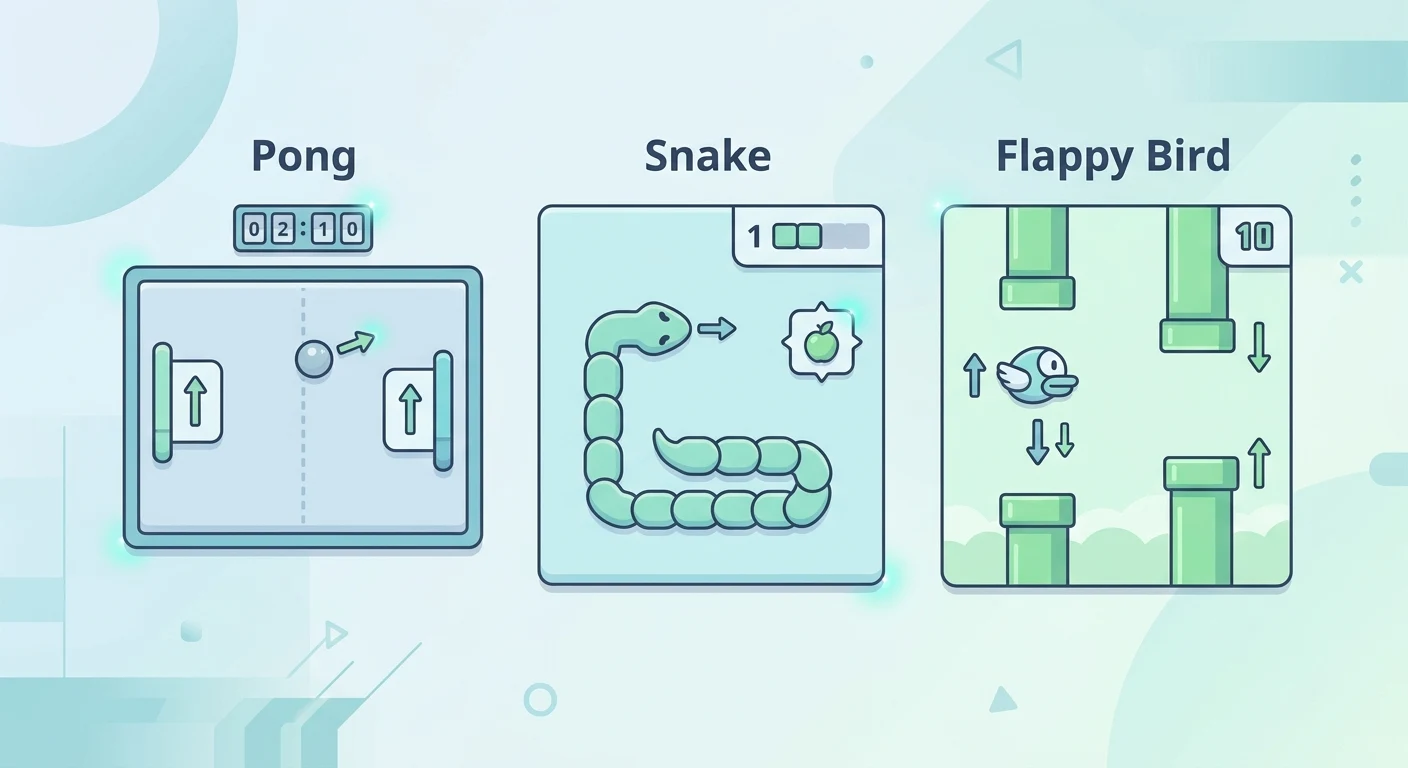
With the machinery clear, let's pull three classic games down to their actual parts.
Pong
State: 7 numbers - ball x/y, ball vx/vy, two paddle y values, two scores.
The key rule: Flip vx on a paddle hit, nudge vy based on where it landed - that's your angle variation. The CPU paddle just moves its y toward the ball's y each frame. Increase that speed, increase difficulty.
Snake
State: A queue of grid coordinates.
The key rule: Each tick, push a new head onto the front and pop the tail off the back. Eat food? Don't pop - the snake grows. New head lands on any existing coordinate? Game over.
Flappy Bird
State: Bird y, bird vy, list of pipe x positions and gap ranges.
The key rule: Gravity pulls vy down each frame. A tap sets vy to a fixed upward value. Four constants - gravity, flap force, pipe speed, gap size - define the entire feel of the game.
The original Flappy Bird is famously brutal because those four constants were tuned to keep you perpetually one mistake from death. Clone it with slightly different constants and it feels completely different. This is what "balancing" a game actually means: not rewriting logic, just adjusting numbers.
Why Engines Exist
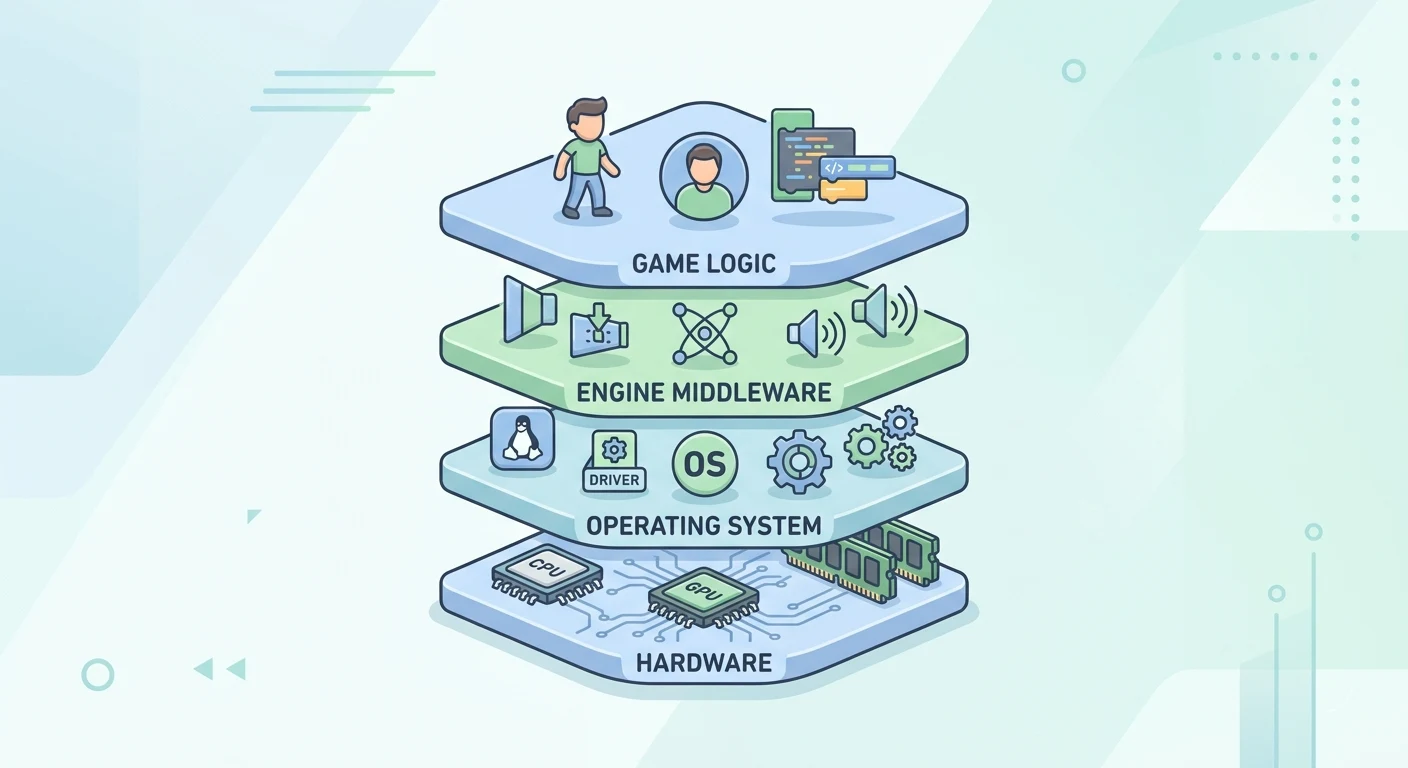
Writing all of this from scratch for every game would be enormous - hundreds of thousands of lines of infrastructure before a single line of actual game logic. The game loop, the renderer, the physics, the audio, the platform layer that handles the differences between Windows, Mac, iOS, and Android. All of it, every time.
Game engines pre-build that infrastructure and expose it as an API. Instead of implementing bounding box checks yourself, you define a collision shape and the engine handles it. Instead of writing the rendering loop that talks to the GPU, you hand the engine a sprite and a position and it appears on screen.
Pygame is a thin layer - gives you a drawing surface and input events in Python, you write most of your own logic. Unity and Unreal are full environments with built-in physics, animation, lighting, and visual editors. Godot sits between them, open source. They're all just different levels of infrastructure - different choices about what to hand you versus what you build yourself.
An engine isn't magic. It's a very large library that solved the plumbing so your code can focus on the rules of your specific game. Under every engine is still the same loop, the same state, the same collision checks.
What's Actually Happening When You Play
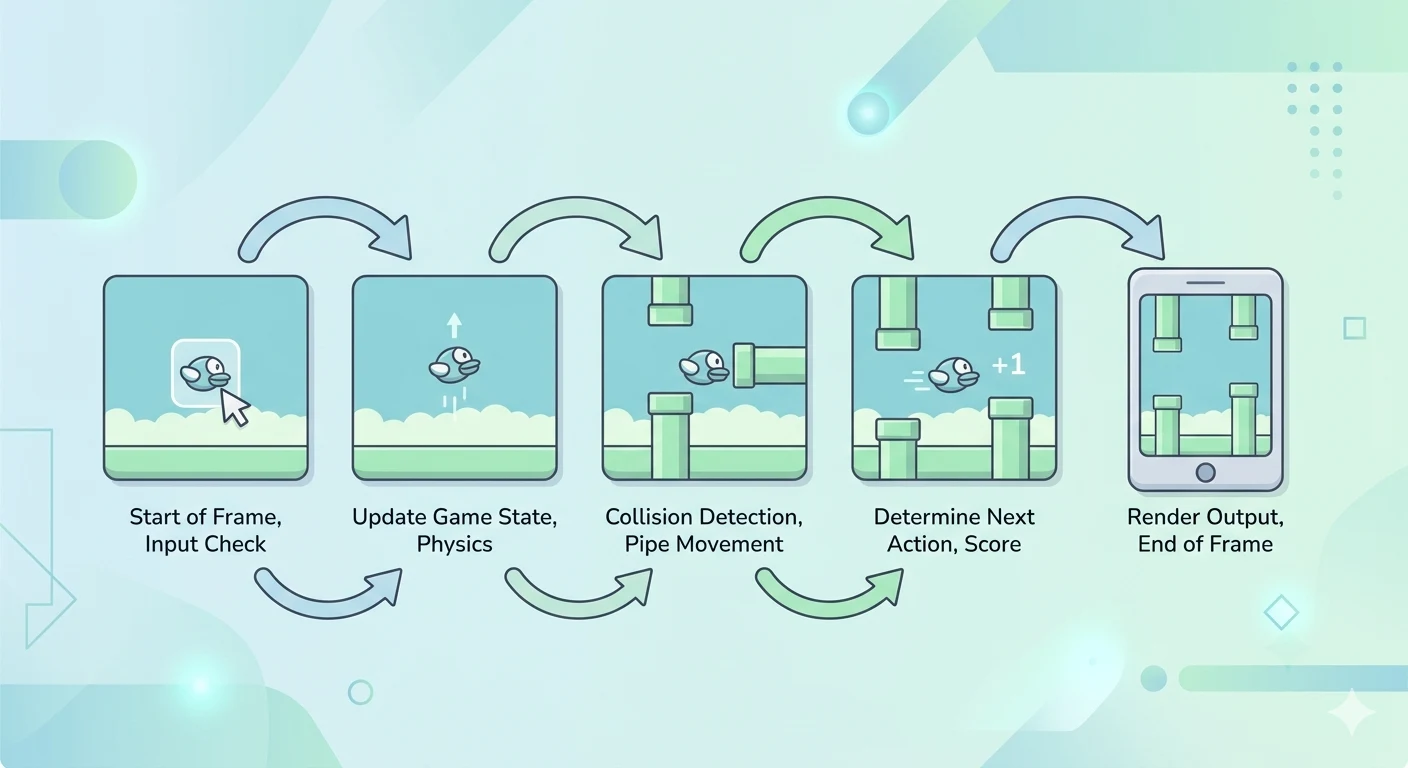
Let's close by watching one second of Flappy Bird actually execute.
The loop fires. No tap this frame. Gravity increments vy, vy increments y, all pipe x values decrease by the scroll amount, bounding box check finds no overlap. Background painted, pipes painted, bird painted at current y, score painted. Frame done - roughly 4 milliseconds out of a 16 millisecond budget.
You tap. Next frame: input phase reads the tap. Update phase sets vy to the flap constant - a sharp upward value. Then gravity immediately starts fighting it back. Frame after that, vy is a little less. Frame after that, a little less again. The bird rises, slows, peaks, falls.
You didn't watch an animation. You watched a number being set once, then pulled back down by another number - with the result painted to screen 60 times a second.
That's what's under every game. A loop maintaining state, physics as accumulated small nudges, collision as rectangle comparisons, and a draw pass translating numbers into something a human can understand and react to. The art, the music, the story are real and they matter - but the machinery beneath is just a very fast loop doing very simple math.
Let's Build Together
Ready to build one yourself? The next one walks you through creating a small playable game from scratch - setting up a game loop, handling input, updating state, and rendering everything on screen.
Build Your First Game →